Magento 2 Meta Tags Automation for Dynamic Pages: 45% Organic Traffic Growth
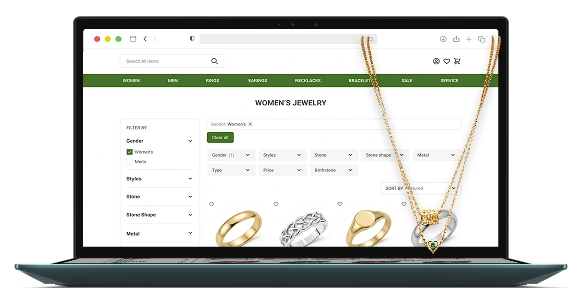

45% growth
in organic traffic
5× increase
in indexed pages
Zero manual
meta tag updates
Industry
Services provided
The client is a direct-to-consumer (D2C) retailer operating in the fine jewelry market. Their online store offers personalized jewelry pieces shipped worldwide.
This case study shares insights for luxury product brands with large catalogs and extensive filtering options, planning to improve organic visibility and reduce manual SEO tasks.
As the brand expanded from a small designer jewelry collection to thousands of products across multiple categories, its Magento catalog became much more complex. New categories, product page variations, and advanced filtering options improved the shopping experience, but also created a growing number of dynamic pages.
Each of these pages needed unique H1 titles, meta titles, and meta descriptions. Managing Magento 2 meta tags manually was no longer scalable for the client’s content team and increased the risk of inconsistent metadata across the catalog.
The client needed a scalable way to generate SEO-optimized metadata for existing and future dynamic pages while keeping product discovery clear and intuitive for shoppers.

To improve organic visibility and help shoppers find products more easily, we automated SEO metadata generation for Magento 2 dynamic category and filter pages while optimizing navigation across the Magento storefront.
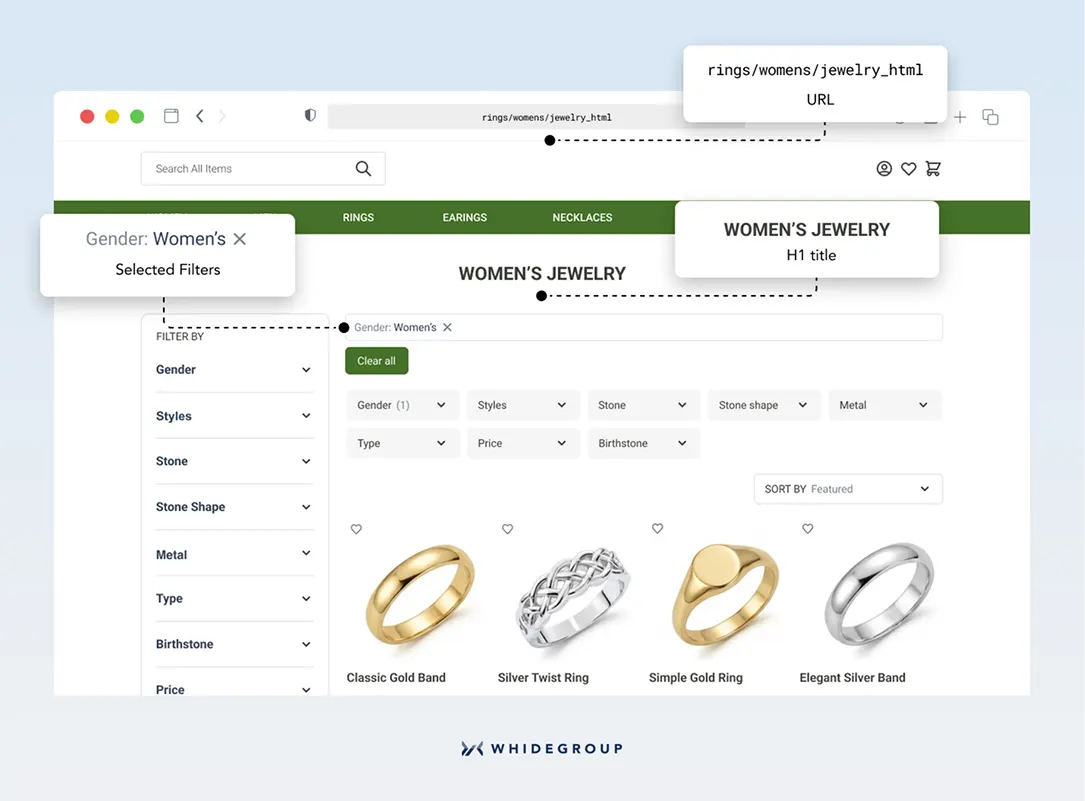
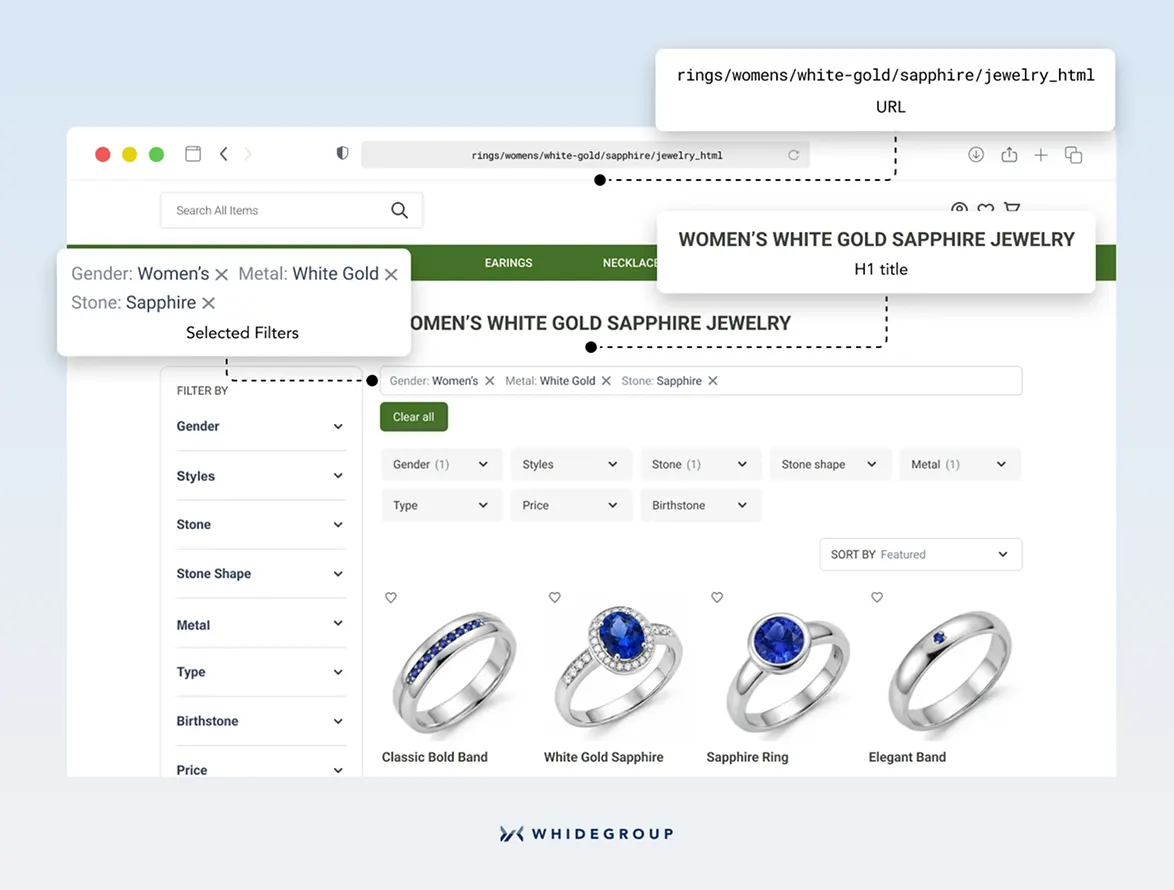
We built a system for automatic generation of H1 titles, meta titles, and Magento meta descriptions for filter and category pages. The developed logic supports all current pages and any new pages created in the future.
We implemented this solution in three steps:
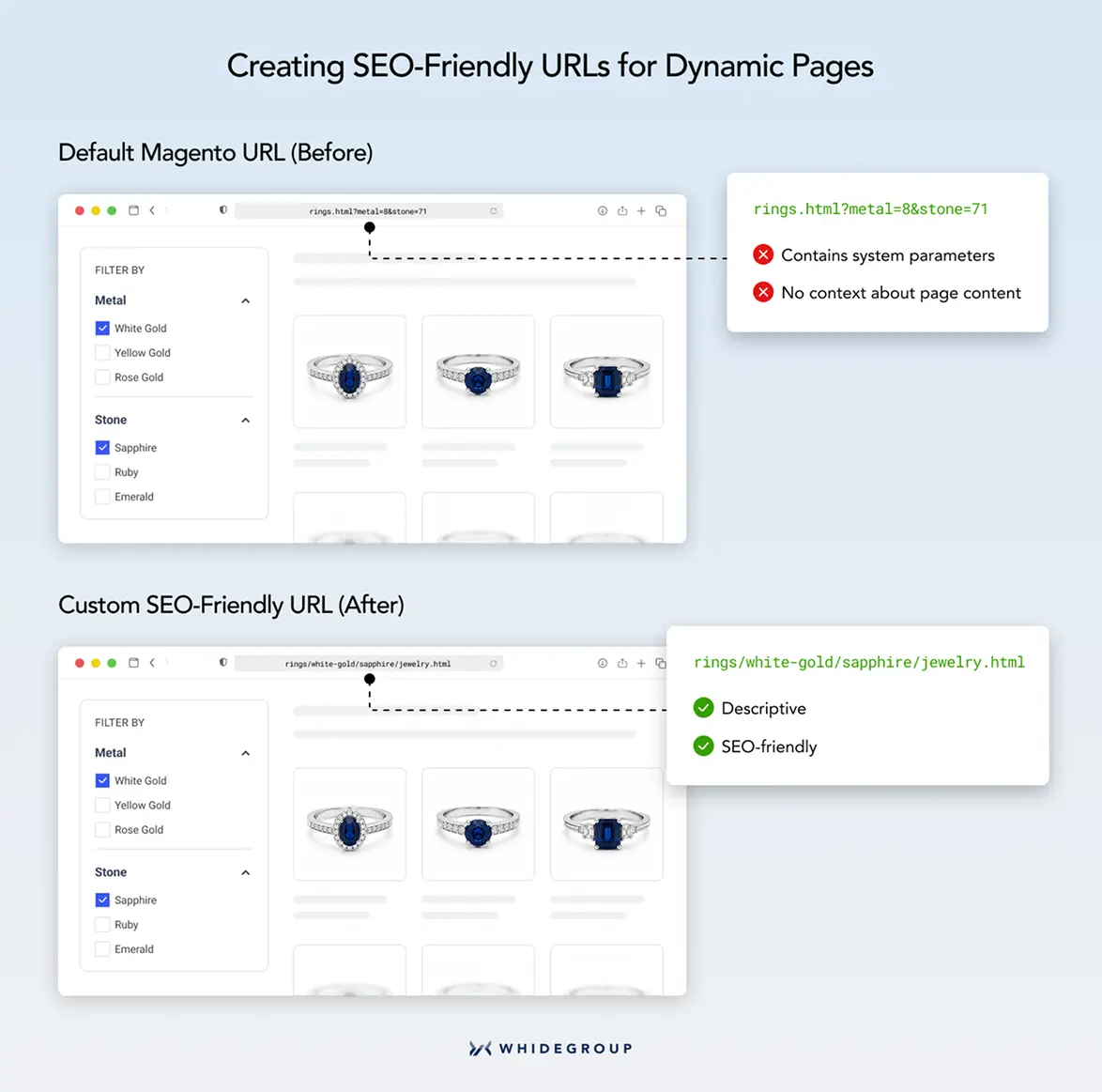
We customized Magento's URL generation logic so dynamic pages could use descriptive URLs based on selected filter values. For example, the same page now uses a URL like rings/white-gold/sapphire/jewelry.html.
Browse our Gender Metal Stone Stone Shape Style Type. 100% Satisfaction Guaranteed. 60-Day Returns. Free Shipping!
Thanks to the custom logic, the client received an automated system that generates unique SEO metadata for every page without manual input from the content team.
To complement the SEO improvements, we optimized how shoppers navigate the catalog after arriving on the website.
Customizing the category page design
For the desktop version, we adjusted the category page layout so Magento 2 now displays custom attributes in the filter listing in two locations — at the top of the page and in the left sidebar. Having filters available in both areas allows visitors to narrow their jewelry choices quickly and intuitively.
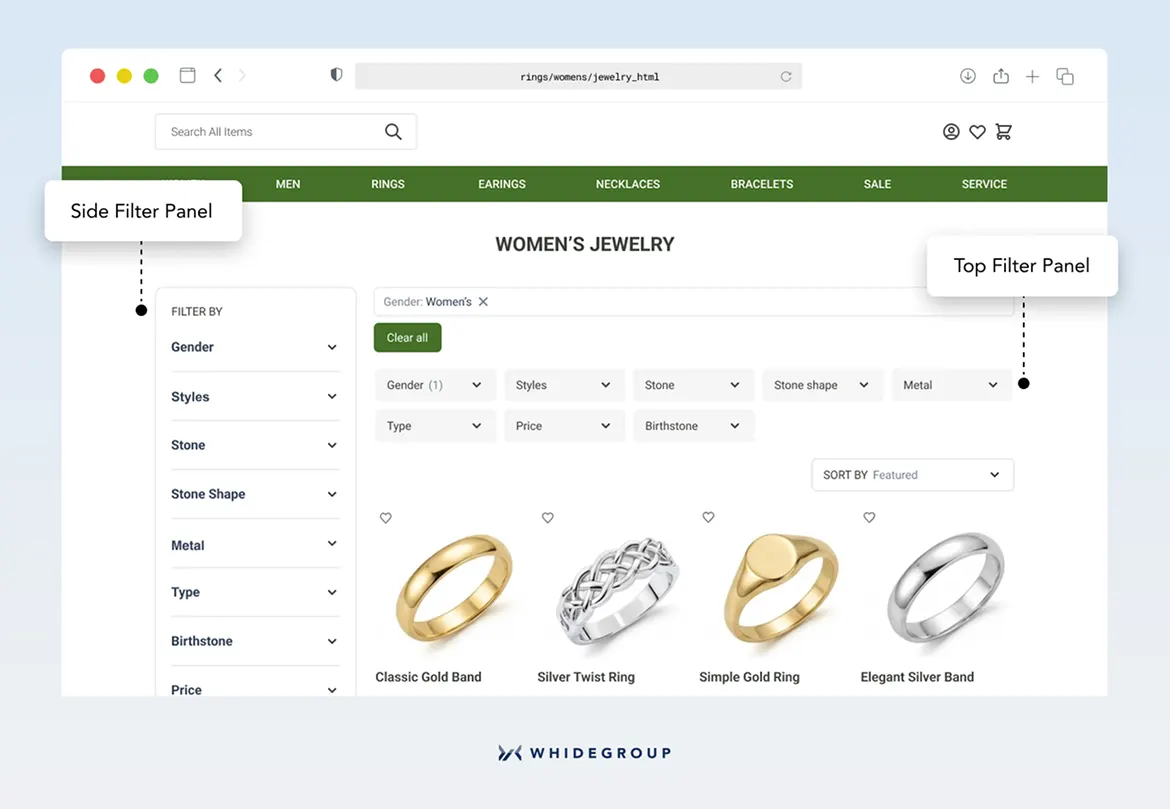
Directing search queries to relevant category pages
We also improved the store's internal search experience by implementing search-query redirects. For instance, a customer searching for “ring” lands on the Rings category rather than a mixed list of products.
To develop the redirect logic, we:
The search experience became more direct: shoppers could move from a broad query to the right product category without extra browsing.
The Whidegroup team replaced manual SEO work with custom Magento logic for metadata generation. The store now automatically creates unique Magento metadata for dynamic category and filter pages instead of requiring the content team to update them one by one.
Five months after the release, the updated metadata setup brought measurable SEO results:
5× increase
45% growth
Zero manual
The same logic also supports future catalog expansion. New categories and attribute sets in Magento 2 automatically follow the established metadata generation rules, so the store can grow without extra development work or repetitive SEO tasks.

Anton Zhuk
Ecommerce Solutions Architect

 Magento 2 Product Review Management Solution That Reduced Bounce Rate by 18...